

Email Account Management
Overview
BXMail provides administrators with a centralized interface for managing email accounts under each domain. After logging in with an administrator account, mailbox accounts for the current domain can be managed directly from the control panel.Accessing Domain Account Management
To manage email accounts for a domain:- Log in using the domain administrator account
- Navigate to:
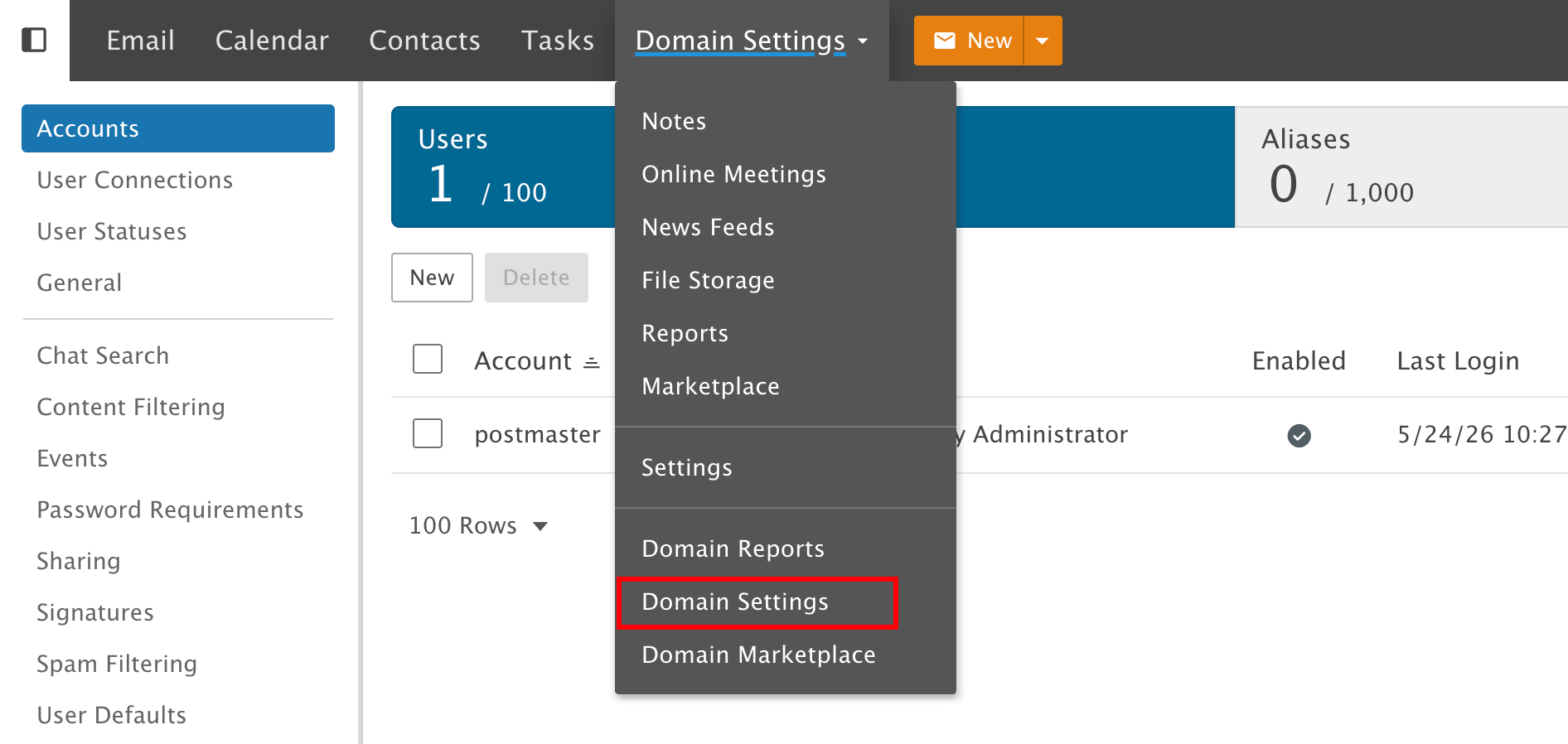
- Create new mailbox accounts
- Edit existing accounts
- Reset or change passwords
- Configure mailbox display names
- Manage mailbox storage limits
Creating a New Mailbox Account
When creating a new mailbox account, the following information is required: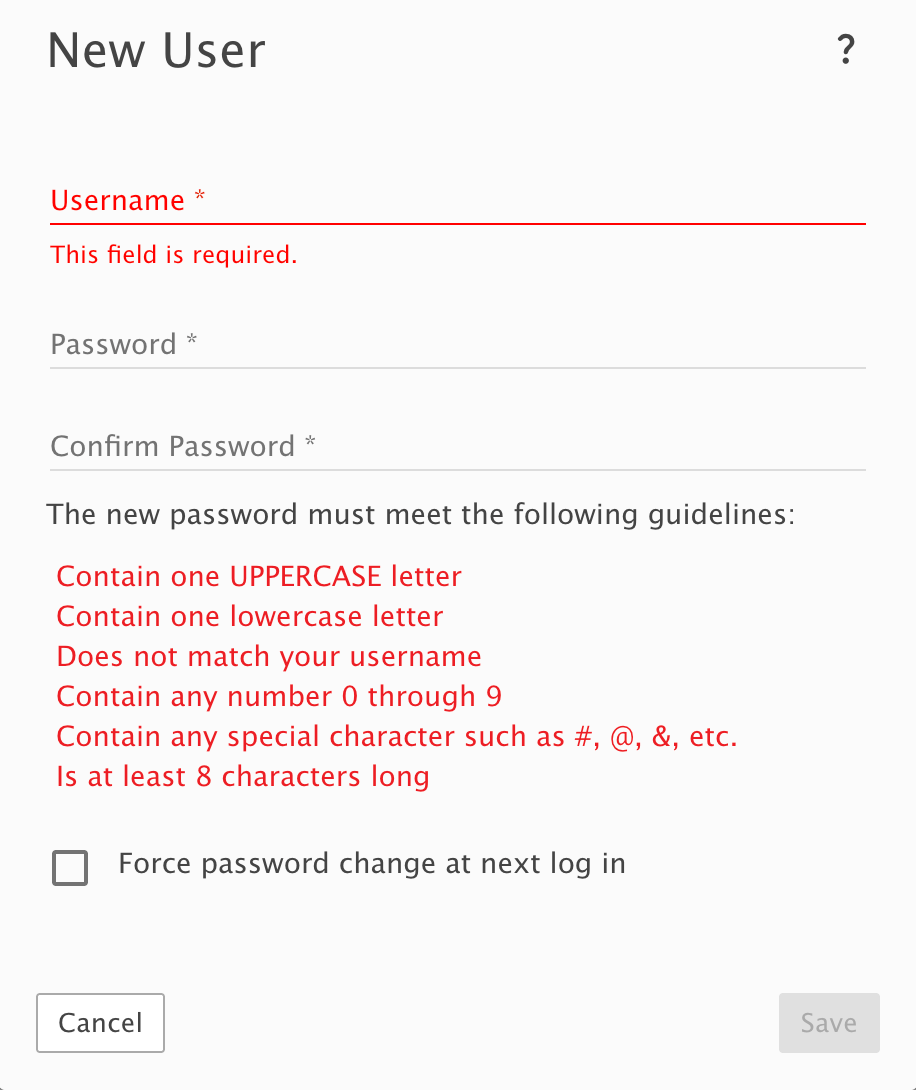
Username
The Username represents the mailbox name for the email address. Example:Password Requirements
Passwords must meet the following security requirements:- Contain at least one uppercase letter
- Contain at least one lowercase letter
- Include at least one number
- Include at least one special character
- Be at least 8 characters long
- Must not match the username
- Force password change at next login
Managing Existing Mailbox Accounts
After selecting an existing mailbox account, administrators can configure additional account settings. Available management functions include: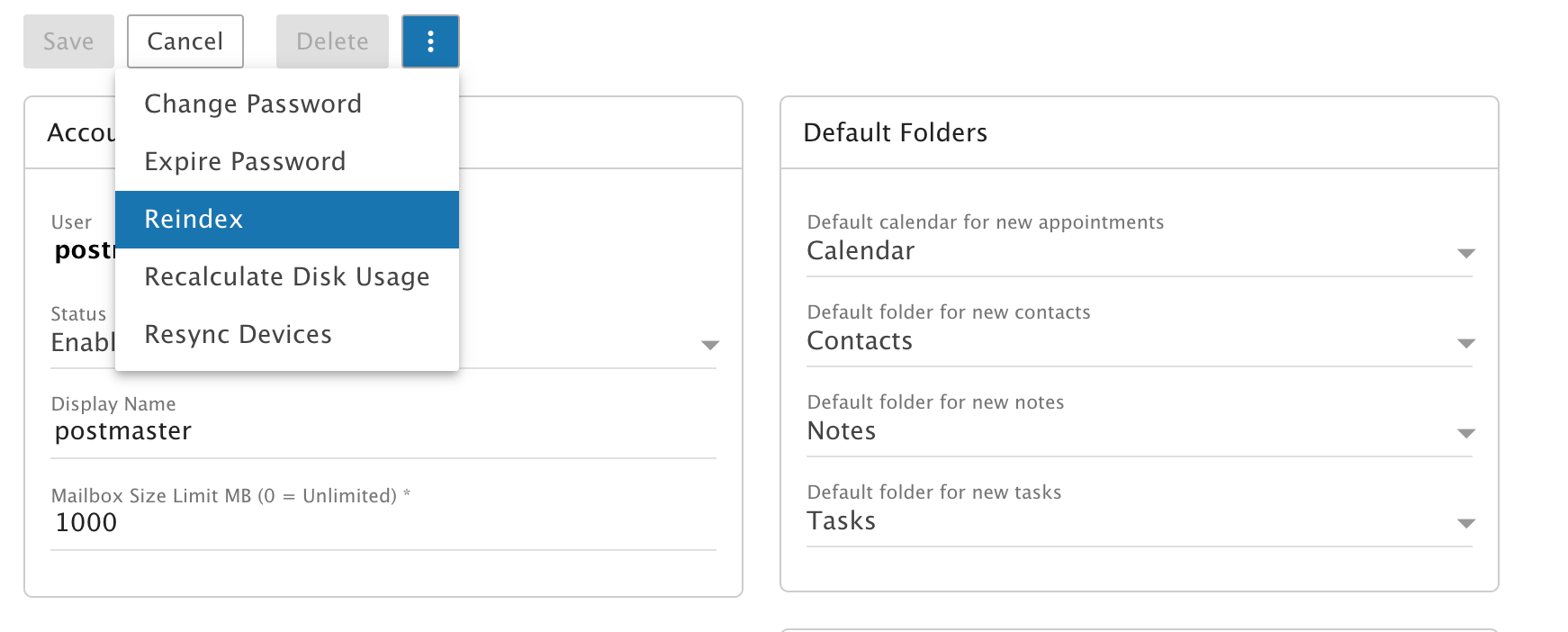
Configuring Display Name
Administrators can configure the mailbox display name shown in outgoing emails. Example:Mailbox Storage Configuration
Each mailbox account can have an individual mailbox size limit configured. Example:
Setting the mailbox size to
0 means unlimited storage.
Additional Features
Administrators can also manage:- Account status
- Default folders
- Calendar settings
- Contacts
- Notes
- Tasks synchronization
Benefits of Centralized Account Management
- Easy mailbox administration
- Flexible password management
- Per-user storage control
- Secure account policies
- Centralized domain management
- Simplified maintenance and support